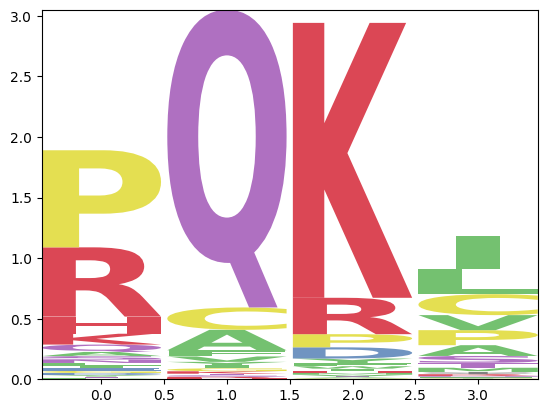
itpseq.Sample.subset_logo#
- Sample.subset_logo(pos, *, how='aax', query='', motif=None, logo_type='extra_counts_bits', ax=None, logo_kwargs=None, return_matrix=False, **kwargs)[source]#
Creates a logo from a subset of the Differential Expression data.
This first runs the
DEmethod withpos, then uses thequeryandmotifparameters to filter the output, and uses the filtered table to produce a logo. Each motif is weighted using the average normalized counts fromget_counts_ratio.- Parameters:
pos (str) – Ribosome positions to consider to compute the differential expression. Passed to
DE.how (str, optional) – Type of inverse toeprints to analyze (see
Replicate.load_data).query (str, optional) – Query used to select rows in the
DEoutput.motif (regex, optional) – Regex used to select motifs (e.g., ‘.QK.’ in a 4 amino-acid motif would fix the central QK).
logo_type (str, optional) –
Type of logo to compute:
”raw_freq”: unweighted frequencies of the amino-acids for all present motifs
”extra_counts”: Computes the sum of extra counts (sample - reference) for each residue per position
”sum_log2FC”: sum of the log2FoldChange for each residue per position
”<logo_type>_bits”: If any of the above has a “_bits” suffix, an extra conversion to bits is performed.
ax (matplotlib Axes, optional) – If passed, the figure will be drawn on the given Axes. A new Axes is created otherwise.
logo_kwargs (dict, optional) – Additional parameters passed to logomaker.Logo.
return_matrix (bool, optional) – If True, the logo matrix is returned as together with the logo as (logo, matrix).
kwargs (optional) – Additional parameters passed to the
DEmethod.
- Return type:
logomaker.Logo
Examples
>>> sample.subset_logo('-2:A', query='(log2FoldChange > 2) & (log10pvalue > 2)')